Modernizing the Shack: Why I'm Switching to Nexus for Digital Modes
By: KA0SOC
Date: October 24, 2026
Category: #DigitalModes / #SoftwareReview / #RigCheck
Greetings,
From FT8 and FT4 contacts to PSK31 and RTTY conversations, digital amateur radio offers many ways to communicate. Exploring them often means juggling applications with different interfaces, radio settings, and logging procedures. Adding maps and contact alerts makes the setup more complex. I want one application that combines these modes and tools in a consistent workflow, making it easier to switch modes without reconfiguring my station. That goal—less software management and more time making contacts—led me to Nexus.
Here’s a closer look at Nexus and how it fits into my digital station. You can find it at hamradiotools.io.
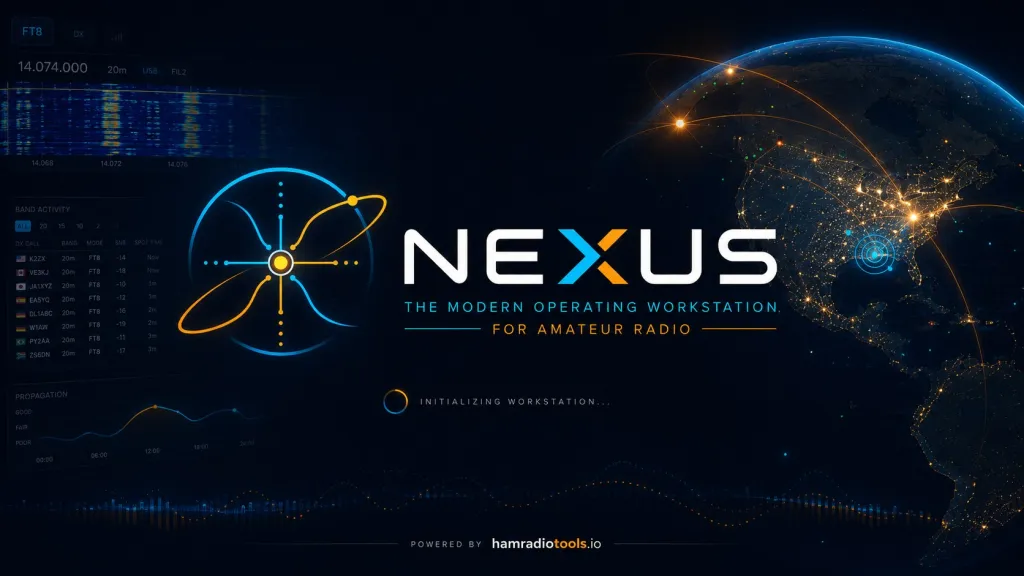
The "Digital Fragmentation" Problem
One thing that can make digital ham communications feel complicated is the software setup. Before bringing these tasks together in Nexus, covering several modes, keeping a log, and watching for interesting contacts could mean assembling a collection of separate applications. Depending on what you wanted to do, that collection might include:
- FT8 and FT4 contacts: WSJT-X for transmitting and decoding these weak-signal modes.
- RTTY and PSK31 conversations: fldigi for keyboard-to-keyboard digital operation.
- JS8 messaging: JS8Call for real-time chat, directed messages, and message relays.
- Maps and activity tracking: GridTracker to display decoded stations and contacts on a map.
- Contact alerts: JTAlert to flag wanted callsigns, grids, or countries from decoded activity.
- A central station log: Log4OM to collect contacts and manage the logbook.
- These are useful tools, and not every station needs all of them. The challenge is getting the ones you do use to work together: matching connection settings, passing contacts into the right log, and switching between windows when you change modes. Nexus brings the digital modes listed above, mapping, alerts, rig control, and a shared logbook into one application. That doesn’t mean it replaces every specialized feature of those programs, but it offers a way to handle those everyday tasks without building the same chain of separate apps. For me, the appeal is simple: fewer connections to troubleshoot and more time to explore digital communications.
The Nexus Approach
I decided to give the Nexus suite a spin, specifically focusing on its digital capabilities, and I’m here to say: this might just be the missing link in my modern shack.
If you’re looking to future-proof your station without needing a quantum computer or a team of software engineers, Nexus is built on a concept we all wish existed earlier: Centralized Digital Management.
What’s Under the Hood? (The Tech Stuff)
For those of us who enjoy reading the datasheets (or man pages), here is why I think this switch makes technical sense:
- Unified DSP Pipeline: Nexus appears to wrap a robust DSP (Digital Signal Processing) core that handles noise reduction and waterfall rendering across multiple modes simultaneously. This is huge for anyone running multi-mode contests or trying to hunt weak signals with high S/N ratios.
- FT8 & JT9 Mastery: As an operator primarily focused on digital data exchange, I know the nuances of the WSJT-X protocol stack. Nexus seems to integrate these modes natively, reducing latency and allowing for cleaner waterfall decoding without the overhead of launching separate binaries every time you want to switch bands.
- SDR Agnostic: Whether you’re rocking an Ettus E4000, a HackRF One, or an AirSpy Mini, Nexus abstracts the hardware layer. It treats your radio like it’s a plug-and-play audio interface. I tested this with an RTL-SDR dongle on my Linux laptop, and the demodulation was surprisingly clean.
- Low Latency Telemetry: For those interested in telemetry or APRS-style digital data links over HF (like ARES), the packet handling logic looks very efficient. It’s not just about voice; it’s about getting data through with minimal overhead.
- Simple Transceiver Setup Wizard: Getting the radio connected can be one of the more confusing parts of digital operation. Nexus walks you through it with a setup wizard: enter your callsign and grid square, then use “Detect my radio” to look for a USB-connected rig or a FlexRadio on your network. Selecting a detected device fills in its port and associated audio device; radios that identify themselves over USB can also have their model filled in, while generic USB adapters may require you to choose it. “Test CAT” checks the control connection by reading back the radio’s dial frequency, and a setup-health display helps identify connection problems. The wizard also offers log import, and its settings can be changed later. The appeal is less guesswork—and less repeating the same setup across separate applications.
Why Switch Now?
Here is the hard truth: The analog bands are beautiful, but the digital modes represent a huge chunk of modern amateur radio communication efficiency. If you’re logging QSOs in Excel and manually copying frequency changes because your software isn't syncing them, it’s time to update.
Nexus reduces friction. Friction leads to missed opportunities (and missed contacts!). With a modern interface that understands the underlying math of convolutional coding and error correction, you spend less time clicking menus and more time listening for that tell-tale signal decode.
My Verdict
I’m running Nexus on a Linux Mint desktop, with my logged contacts pushed to QRZ.com automatically and FT8 Battle integration enabled. For me, the appeal isn’t a complicated home-lab setup or a list of technical claims—it’s bringing digital operation and logging together while connecting to the services I use. That’s the kind of modernization I’m looking for: less juggling between applications and more attention on making contacts.
Coming up: FT8 with a competitive twist. If you haven’t come across FT8 Battle Royale yet, it adds a game-like layer to FT8 operating, turning contacts into points with live leaderboards and daily competition. In an upcoming post, I’ll take a closer look at what it is, how to get started, and how it fits into my Nexus setup. If you’re curious about giving your next FT8 session a different goal, stay tuned!
If you’re tired of managing your shack like a 90s tech support nightmare, check out Nexus at hamradiotools.io. It’s available for Windows, macOS, Linux, and Raspberry Pi OS. Give it a spin in your QSO window, and let me know if you find your new favorite tool.
Until the next propagation forecast clears up, keep the bands open!
73,
KA0SOC